Faithful 64x Texture Pack
Start a Minecraft Server in Under 5 Minutes!
- Simple Server Setup
- All Mods & Plugins Supported
- 7 Day Money Back Guarantee
Faithful 64x Texture Pack — Minecraft’s Cleanest HD Upgrade
Why Players Keep Coming Back to Faithful 64x
If you’ve ever loaded up Minecraft and thought, “Man, I love this game… but those pixels could use a little love,” the Faithful 64x texture pack might just become your new favorite thing.
This pack doesn’t try to change what Minecraft is — it just makes it better. It keeps everything you already know and love about the vanilla style, but sharpens it up with high-definition textures that feel modern, smooth, and insanely clean. It’s like putting on a pair of glasses and seeing your world in focus for the first time.
I still remember the first time I installed Faithful 64x. I spawned in a plains biome, looked at the grass, the trees, the cobblestone… and it just clicked. It was still Minecraft — just prettier, more refined, and so much easier on the eyes.
Faithful 64x has been around for years, constantly improved by a passionate community that refuses to let it fade away. The reason it’s still one of the most popular texture packs today is simple: it upgrades Minecraft’s visuals without breaking its soul.
In this guide, we’ll go through everything that makes this pack special — what it changes, how it compares to Faithful 32x and other packs, how to install it, and why players like me can’t go back to vanilla once we’ve tried it.
Comparison & Version Info
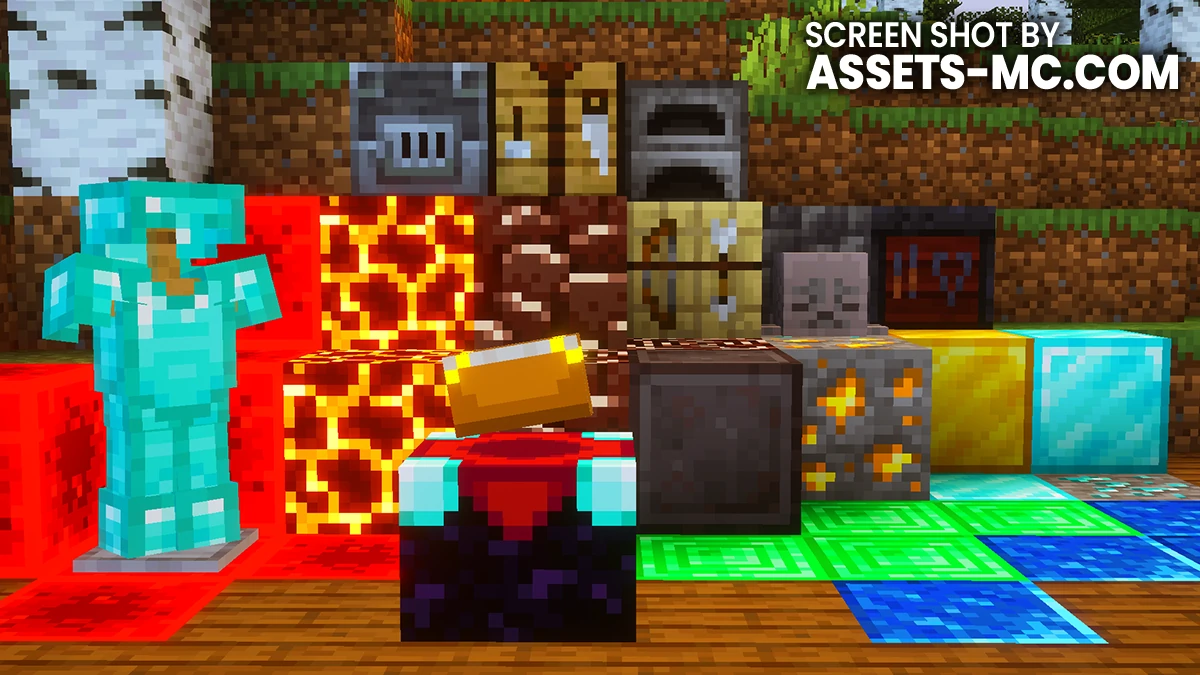
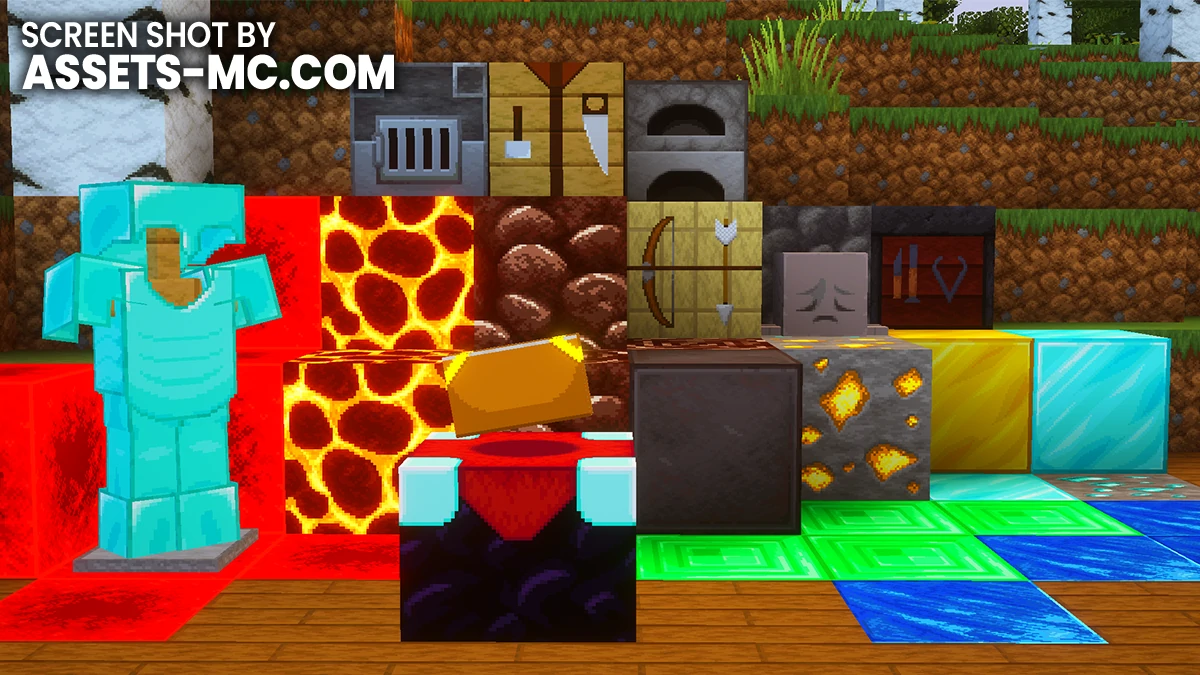
Compatibility: Versions, Shaders & Mods
One of the best things about Faithful 64x is how well it plays with everything else.
Minecraft Versions: You’ll find updated releases for everything from 1.8 (PvP era) all the way up to 1.21+.
Shaders: 100% compatible. Faithful’s clean textures make lighting effects and reflections pop even more.
Mods: Works beautifully with OptiFine, Fabric, and Sodium. Many modded textures have Faithful versions, too.
Pro tip: If you’re using multiple packs or mod textures, always put Faithful 64x at the top of your load order for best visuals.
Pros and Cons
Like every pack, Faithful 64x isn’t perfect — but it’s close.
Pros ✅
Keeps Minecraft’s identity fully intact.
Crisp HD visuals that don’t feel “too much.”
Works great with shaders.
Supported by a massive community.
Updated fast for new versions.
Cons ❌
Slightly heavier than Faithful 32x.
Doesn’t completely change Minecraft’s art style (which some players want).
Occasional texture mismatches with niche mods.
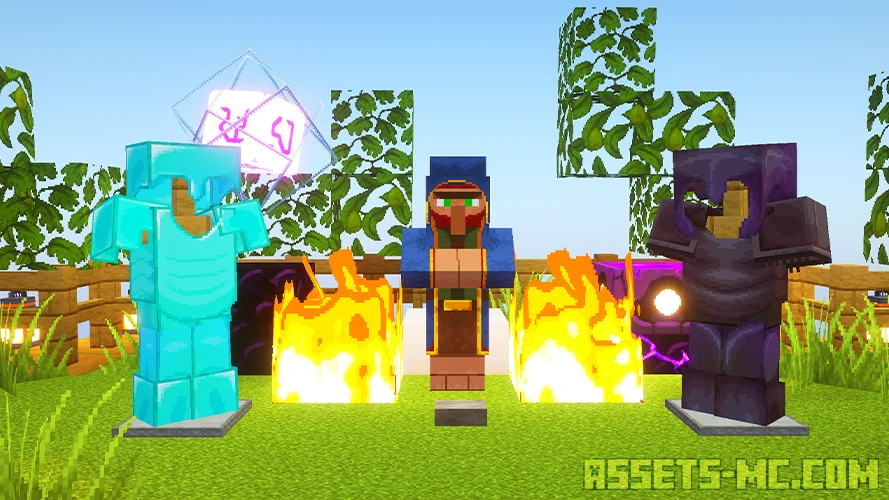
Video & Screen Shoots
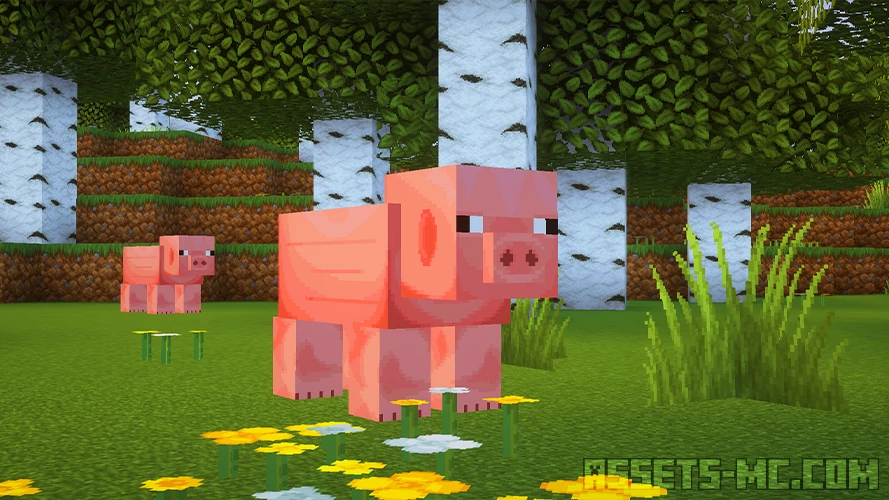
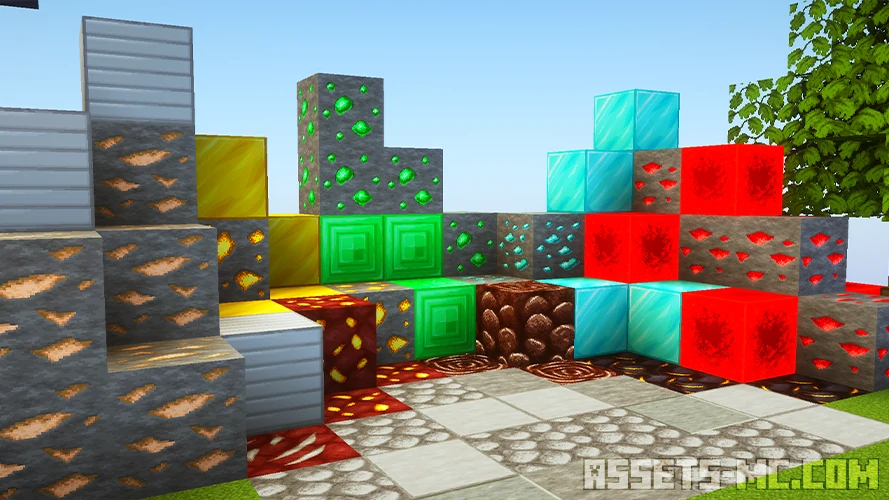
Why Faithful 64x Deserves a Spot in Your Game
Here’s the thing — Faithful 64x isn’t just another texture pack. It’s the texture pack that defines what “HD Minecraft” should feel like.
It’s subtle. It’s clean. It respects the original design while giving you the level of detail Minecraft’s world deserves in 2025.
Every block feels more satisfying, every build looks more polished, and exploring biomes becomes just that little bit more immersive.
If you’ve been hunting for a high-resolution texture pack that stays true to vanilla, this is the one to try.
My honest opinion about Faithful 64x
Personally, I prefer texture packs that are 32×32, and I rarely go back to packs that have a higher resolution. However, Faithful 64x is one of the packs for which I make an exception. I really enjoy playing with this pack, but even so, a few hours is the max, and I usually go back to Faithless.
How to Install Faithful 64x Texture Pack?
- Install OptiFine or Iris Shaders for full compatibility and visual features.
- Download the Texture Pack — by clicking button bellow.
- Launch Minecraft and open Options → Resource Packs.
- Click “Open Pack Folder.”
- Move or drag the downloaded
.zipfile into the resourcepacks folder. - Go back to Minecraft — the pack should now appear on the left side of the screen.
- Click the arrow to move it to the right (active packs).
- If a message says the pack was made for a different version, click “Yes.”
- Click Done, and enjoy your upgraded visuals!
Faithful 64x Texture Pack Download
- Credits: Full credit for creating Faihful 64x goes to the Faithful_Resource_Pack.
- Please note that none of the files are hosted on our servers — all direct download links are provided by the official creators.
- Every pack is thoroughly checked and confirmed to be free from viruses, ensuring a completely safe and secure download experience for all users.